Now available on the App Store and Google Play
Proof of what you found, and what you did.
Job Evidence turns the photos you already take into an organised, sendable record. Capture as you work, see what proof is still missing before you drive away, and hand the client a PDF.
Built for cleaners, pressure washers and handymen working on their own.
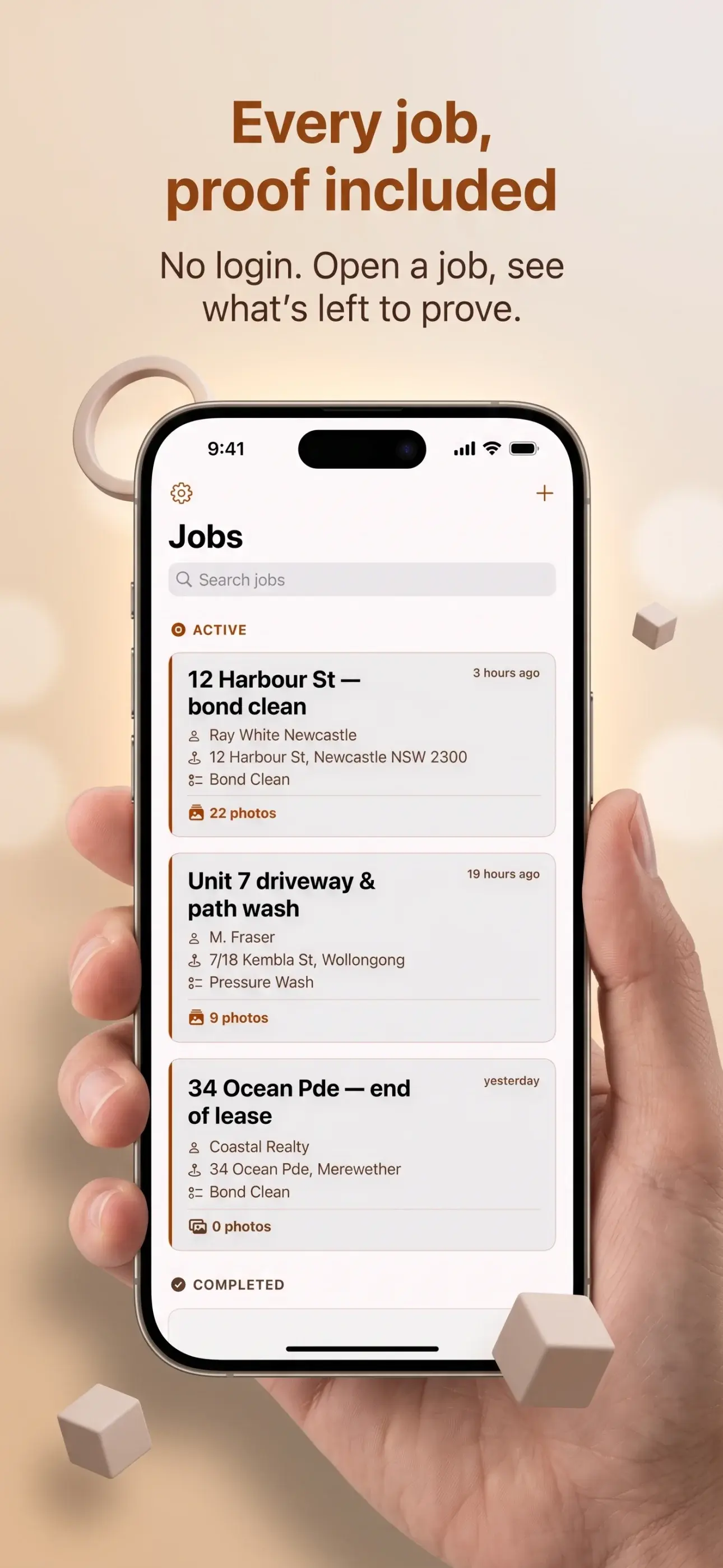
Built for the job site
The evidence you need, visible at a glance
Keep each job together, see what is still missing, and send a clear record of the finished work.
The photos are on your phone. The proof isn't.
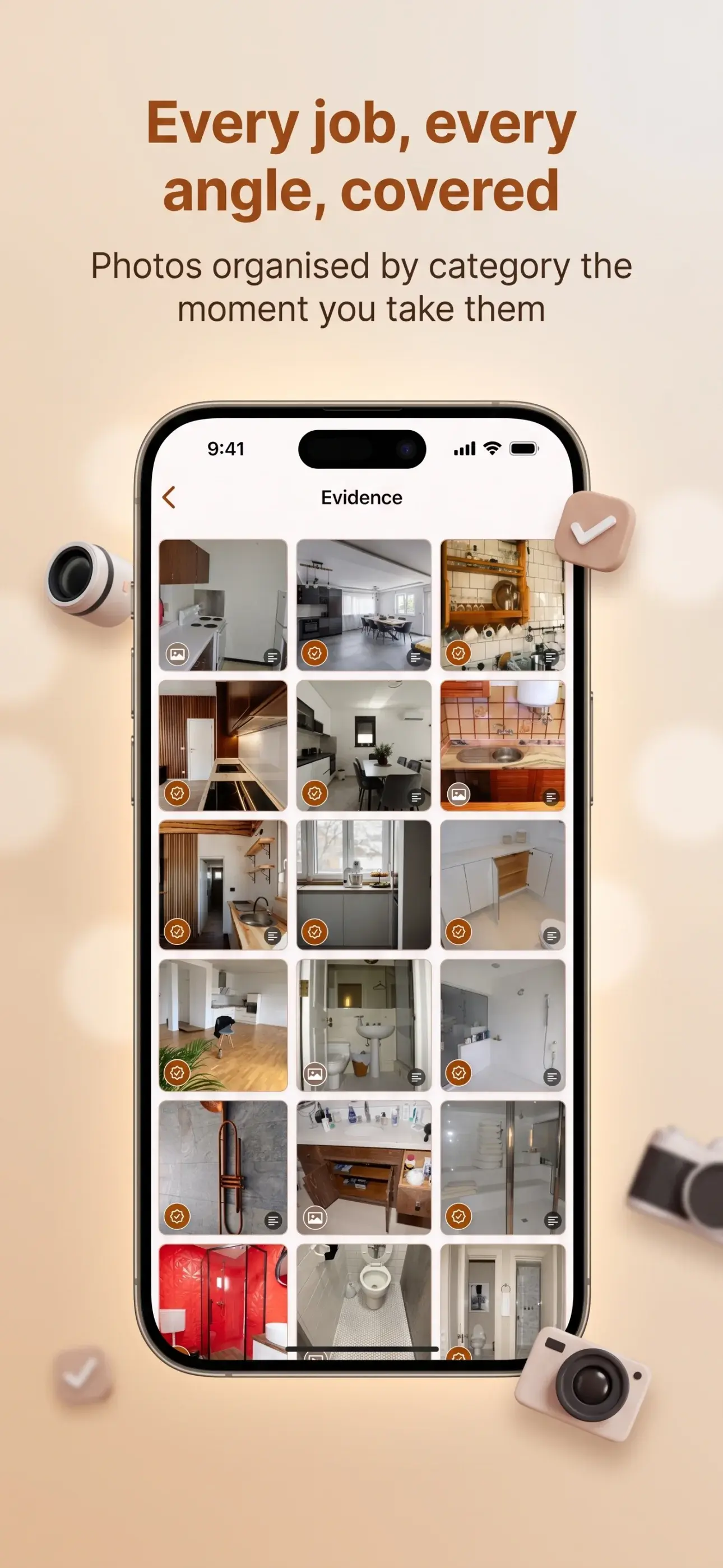
Every tradesperson already photographs their work. The trouble starts weeks later, when a property manager asks whether the oven was cleaned, or a client says the cracked render was your doing. The photos exist — buried in a camera roll, out of order, mixed in with three other jobs and a picture of a parking sign.
Job Evidence keeps each job's photos together, labelled with what they show, and turns them into a single document you can send. It is the difference between having taken the photo and being able to produce it.
Three steps, and you are done
- 01
Start the job
Enter a title and, if you want one, pick a proof checklist for the trade. The title is the only thing you have to type in the entire app.
- 02
Capture as you work
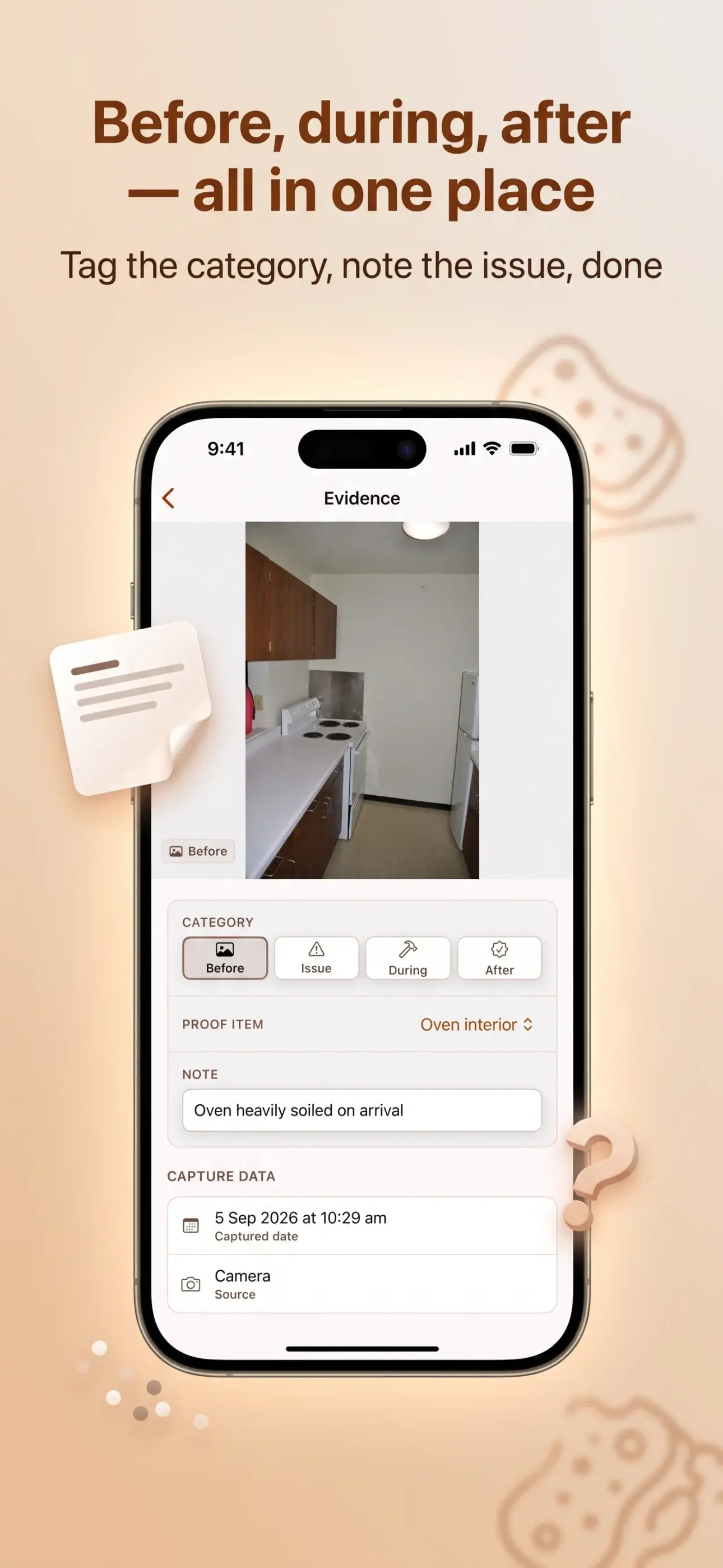
Take Photo is pinned to the job screen and never scrolls away. Each photo is filed as Before, Issue, During or After — one tap, one hand.
- 03
Check, then send
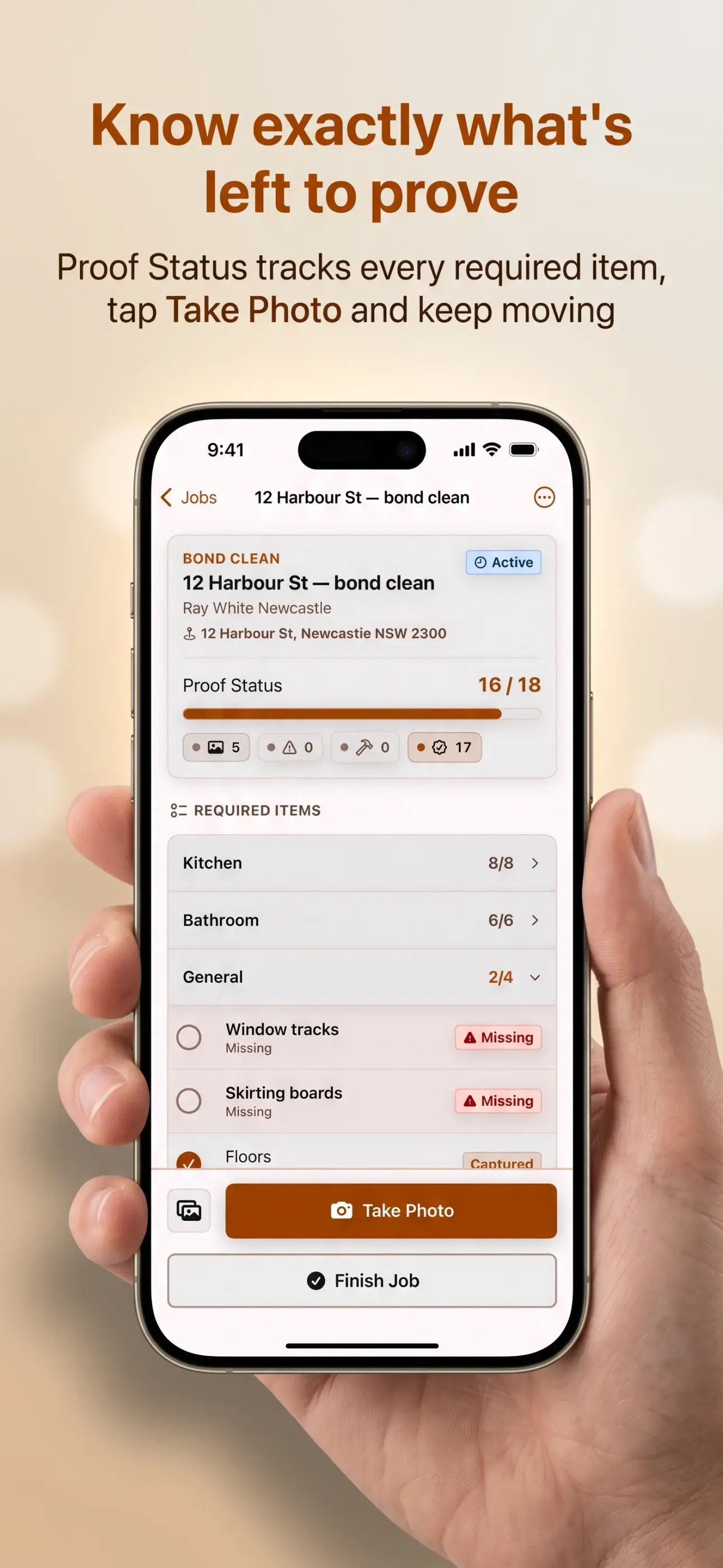
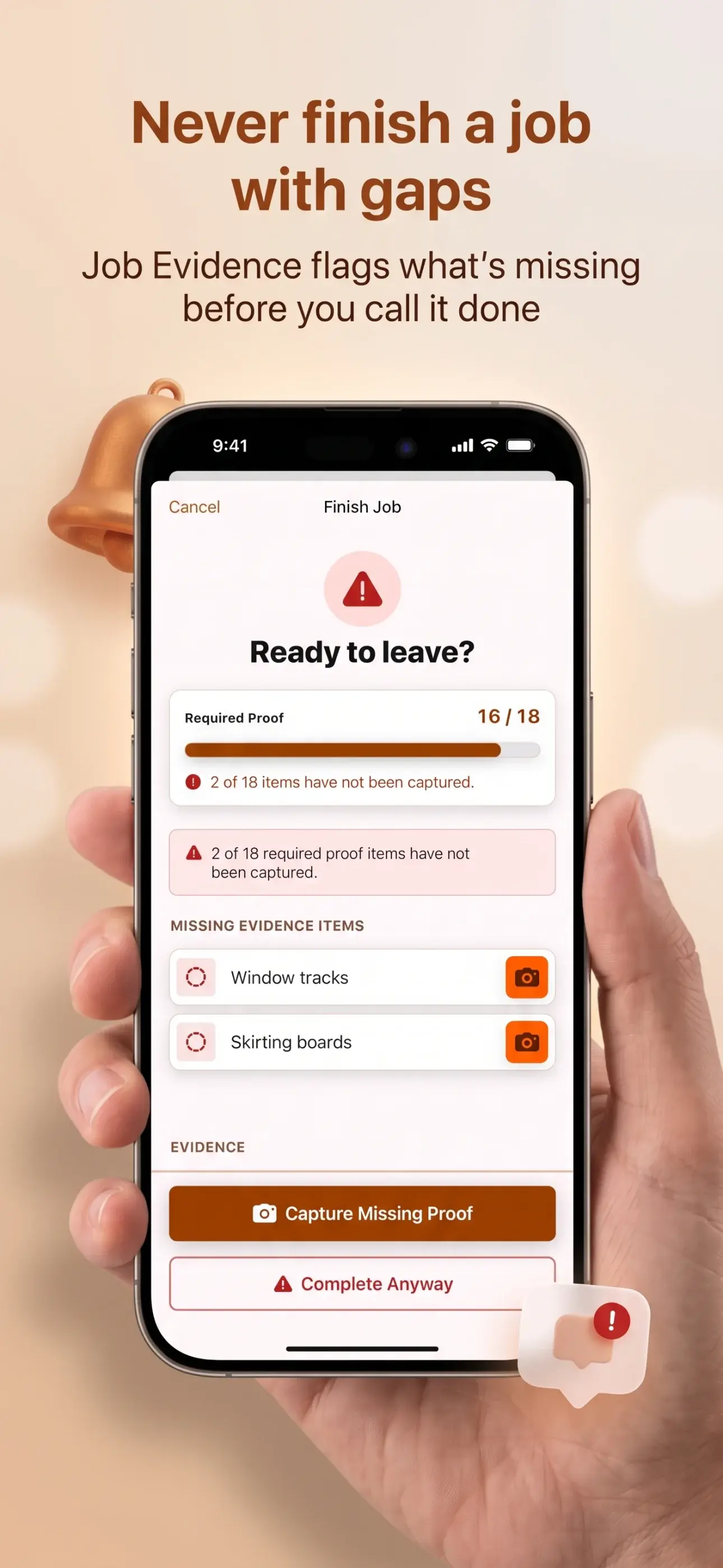
Before you leave, the app shows what proof is normally expected and what is still missing. Then it builds a PDF you can send by Messages, Mail or WhatsApp.
Four categories, always in the same order
Every photo is one of four kinds. They show as badges on thumbnails, as counts on the job screen, and as sections in the PDF — so the story reads the same way every time.
Before
What it looked like when you arrived.
Issue
Pre-existing damage, or a problem you found.
During
Work in progress.
After
The finished result.
Checklists that know your trade
A job can follow a proof checklist so you are not relying on memory at 4pm on a Friday.
- Generic
- No checklist. Photograph whatever the job needs.
- Bond Clean
- 18 required items across Kitchen, Bathroom and General — oven interior, rangehood, shower floor, skirting boards, and the rest.
- Pressure Wash
- 8 required items plus 1 optional, split across pre-existing condition and completion.
It warns you. It never blocks you.
Tap Finish Job and you get a plain count — “6 of 18 required proof items captured” — and a list of what is outstanding, each one tappable to go straight to that photo. Complete Anyway is always there. You are an experienced professional; the app is a reminder, not a supervisor.
“12 of 18 required proof items have not been captured.”
The document the client actually sees
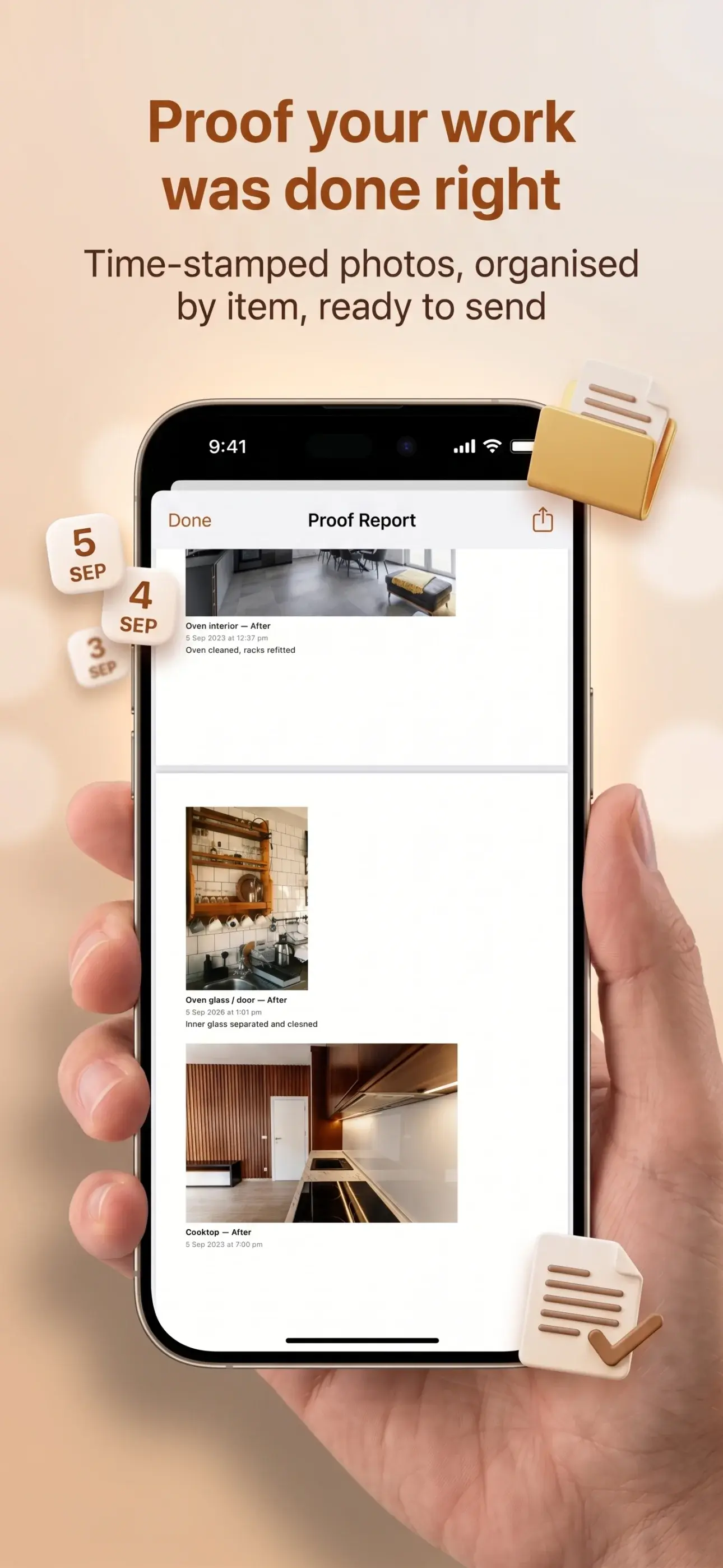
A4, generated on the device, grouped by category in the fixed order, with your business name at the top if you set one. It goes straight to the system share sheet, so it lands wherever you already talk to clients.
Proof-of-Work_12-Harbour-St-bond-clean_2026-09-02.pdf
Who it is for
- Bond and end-of-lease cleaners answering to property managers
- Pressure washing operators recording pre-existing damage before they start
- Handymen and maintenance contractors invoicing on completed work
- Anyone working alone who needs a record that holds up later
Your work stays on your phone
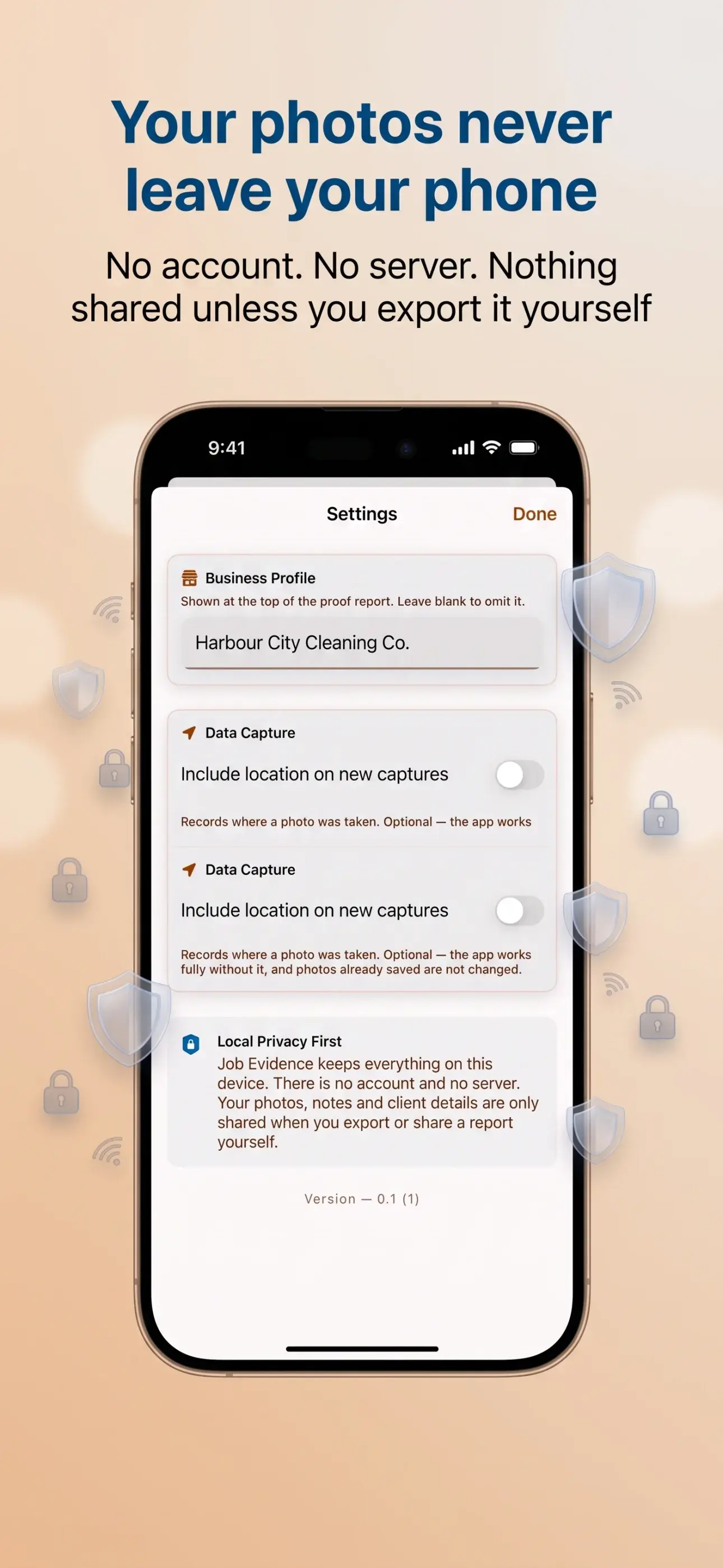
Job Evidence keeps everything on this device. There is no account and no server. Your photos, notes and client details are only shared when you export or share a report yourself.
Works completely offline — no signal needed on site
No sign-up, no login, no password to forget
Location on photos is off by default and entirely optional
The full privacy policy sets out exactly what the app stores and what it does not.
Leave every job with the proof sorted
Download Job Evidence for iPhone or Android and turn the photos you already take into a clear proof-of-work report before you leave site.